








































































































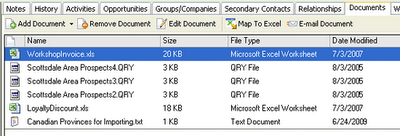
 Many customers have reported issues with accessing the Documents Tab within their ACT database after upgrading to Windows 10. While it does not effect everyone, it is a documented compatibility issue with Windows 10, and an installable fix is expected soon from Swiftpage. In the meantime, we offer the following workaround to address the issue.
This procedure fixes the Documents Tab on Win 10
1. Copy the act.shared.win32.dll file from the installation media to the Act! installation folder.
2. In a command prompt, change directory to that folder.
3. Type gacutil /I act.shared.win32.dll...
4. Reboot
5. Test the documents tab
Please confirm with us if these steps do not work on your machine.












