Home > Installation > Obtaining Installation Program
Obtaining Installation Program
If you have a previous version of Keystroke Dash installed, you must first uninstall it using Add/Remove Programs (or Programs and Features in Windows Vista , Programs and Uninstall a Program in Windows 7/8 and 10) from the Control Panel.
Direct your web browser to https://www.act4work.com/files/Dash/Dash_v11/ in order to download the latest version. Select Keystroke Dash for the version of Act! currently installed. When prompted, select Run to install Keystroke Dash.
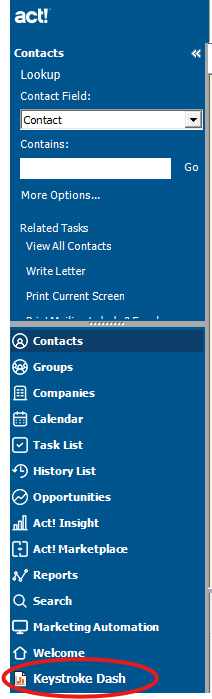
After the software has been installed, you will see Keystroke Dash added to the
left hand navigation bar Act! as seen below.
See also
|